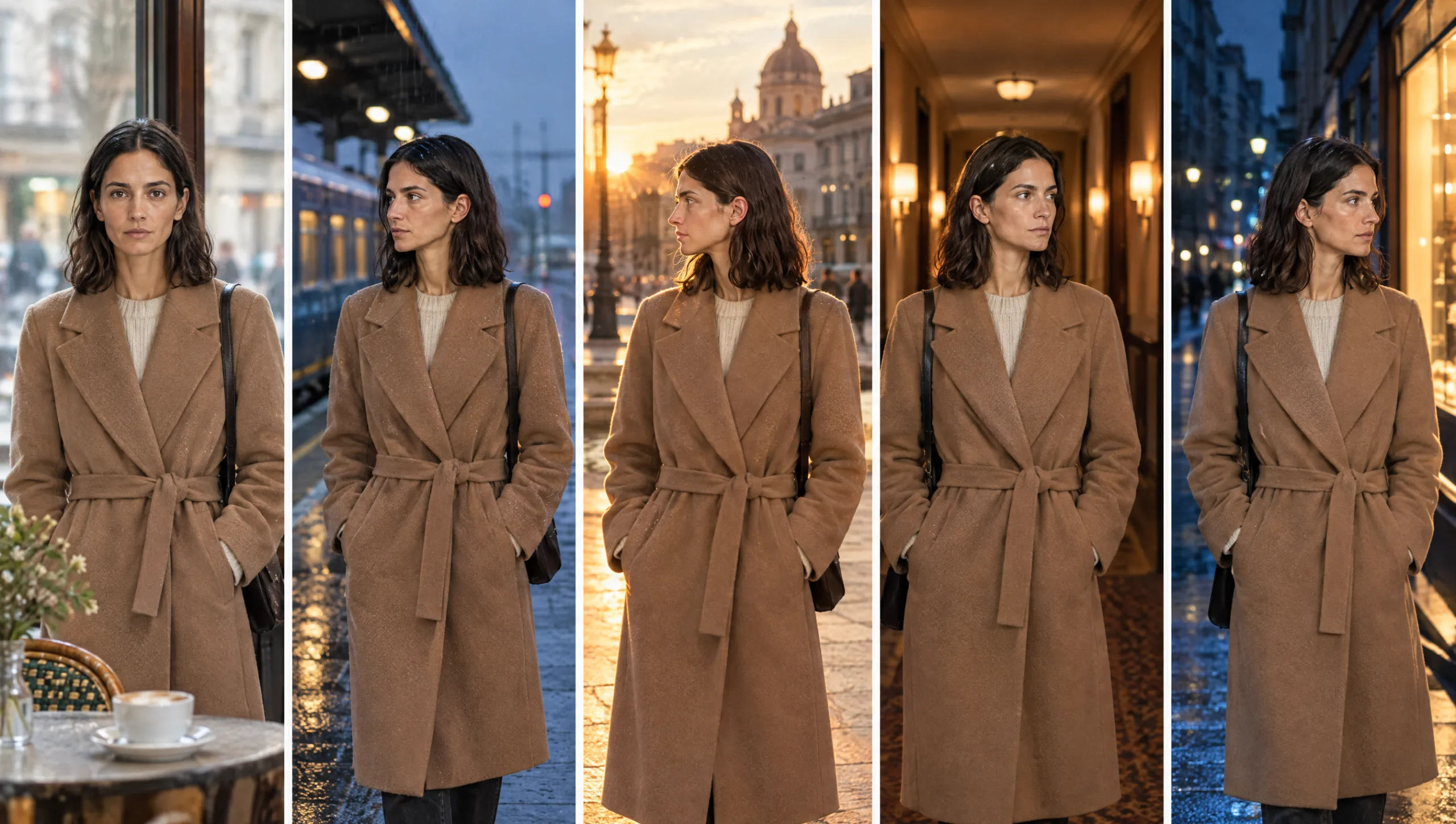
AI CHARACTERS · PILLAR GUIDE
A consistent AI character is not a lucky generation. It is five layers, built in order, each one locked before the next begins. The description fixes who she is in words. Her identity fixes the face, and the wardrobe fixes the clothes. A scene formula then places her in a shot without disturbing either. Continuity keeps all of it true from scene one to scene twenty. Skip a layer and the one above it has nothing to stand on. That is why so many people fix the face and lose the coat, or fix the coat and lose the face. This is the complete method for a consistent AI character, with one prompt per layer and a link to the deep guide for each. Read it once, then build the layers in order.
At a glance
- Description: write the character so precisely that two people would draw the same face.
- Identity: generate a turnaround, build an identity set and train a Soul ID.
- Wardrobe: lock each outfit in words and on a reference sheet.
- Scene: place the character with a fixed formula that changes only the scene.
- Continuity: log every scene, audit every frame, correct rather than reroll.
You will need: Higgsfield with Soul access (or any generator that accepts image references), Claude or ChatGPT for the writing steps, an image editor that can crop, and a document for the character sheet.
Why Characters Fall Apart
An image model has no memory of your character. Every generation is a fresh guess from whatever you show it and tell it. If what you show and tell changes, even slightly, the character changes with it. Consistency is nothing more mysterious than showing and telling the model the same thing every time.
That is why the method is built in layers. Each layer is written once, approved once, and reused unchanged. The description never changes. The identity never changes. An outfit lock never changes while that outfit is on screen. Only the scene layer moves, and it moves inside a fixed formula. When something drifts anyway, the continuity layer catches it and corrects the frame rather than rolling again.
Layer 1: The Description
Everything starts with words, because the words are the only part the model reads every single time. A vague description is the root of most drift. Write the character as a casting director would. Cover the face shape, skin, eyes, eyebrows, nose, lips and any distinguishing marks with their exact position. Then the hair: colour as an exact shade, length against a body landmark, texture and parting. Finish with height, build and posture. No clothing, no mood, no setting.
Prompt 1: Character Description Builder (run in Claude or ChatGPT)
You are a casting director and portrait photographer. Write a precise physical description of a fictional character for an AI image model, in this order: face shape, skin tone and texture, eyes (colour, shape, spacing), eyebrows, nose, lips, distinguishing marks with exact position, make-up baseline, hair colour as an exact shade, hair length against a body landmark, hair texture, parting side and tucked ear, height, build, posture. Use the vocabulary a photographer would use. No clothing, no setting, no mood. Keep it under 120 words.

Character idea: [ONE OR TWO SENTENCES]
Age range: [AGE RANGE]
Save the result as Section 2 of your character sheet. It is pasted, unchanged, into every identity prompt from now on.
Layer 2: The Identity
The identity is the face and body, held in images rather than words. You generate one turnaround from the description, in a plain grey T-shirt on a plain grey background so that no clothing or location gets into the identity. You approve it as if you were casting. Then you build an identity set from it: an expression sheet, a lighting sheet and a close-up sheet, each generated with the turnaround as the reference. Crop the sheets into twenty or more single images and train a Higgsfield Soul ID on them.
Prompt 2: Identity Turnaround
Character turnaround sheet of [CHARACTER NAME]. [PASTE THE DESCRIPTION FROM PROMPT 1]. Wearing a plain mid-grey crew-neck T-shirt and plain dark trousers. Five full-length views in a row on a plain light grey background: front, three-quarter left, left profile, three-quarter right, back. Neutral expression, arms relaxed. Even soft studio lighting, true-to-life skin texture, photographic realism, identical proportions in every view. No text, no labels.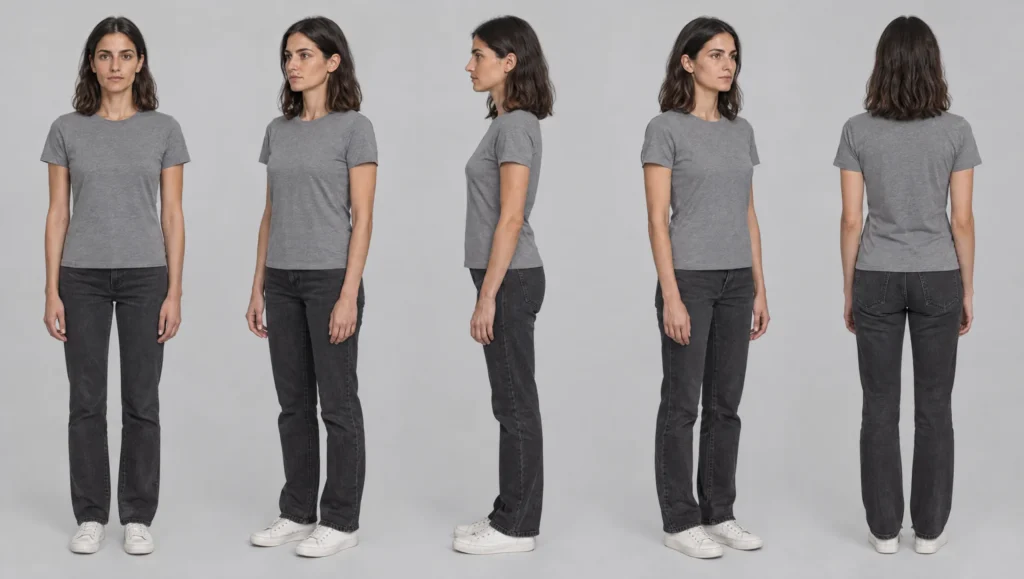
From this point the face lives in the Soul ID. You stop describing it in scene prompts, apart from a one-line anchor, because a second description gives the model a second opinion to argue with.
The full identity method is in my guide to building an AI character sheet in Higgsfield. It has the expression, lighting and close-up prompts, the cropping rules and the three test scenes.
Layer 3: The Wardrobe
Soul ID holds the face and body. It does not hold clothing. Each outfit the character wears gets its own wardrobe lock, written once with exact colours, fabrics, closures and no more than three signature details. It also gets its own reference sheet, generated with the Soul ID on the same grey background. The lock is pasted unchanged into every scene where that outfit is on screen.
Prompt 3: Wardrobe Lock Writer (run in Claude or ChatGPT)
Write a wardrobe lock for one outfit, for an AI image model. In this order: garment by garment from top to bottom, each with an exact colour (name a real reference such as bottle green or oatmeal), fabric, fit and closure; footwear; up to three signature details that make the outfit recognisable at a glance; jewellery and accessories that stay on. No mood, no setting, no face or hair. Under 80 words. Begin with the outfit name in capitals.

Outfit name: [OUTFIT A: CAMEL COAT]
Brief: [WHAT THE OUTFIT IS AND WHAT IT SAYS ABOUT THE CHARACTER]
Carry-over items: [NECKLACE, WATCH, RING, OR NONE]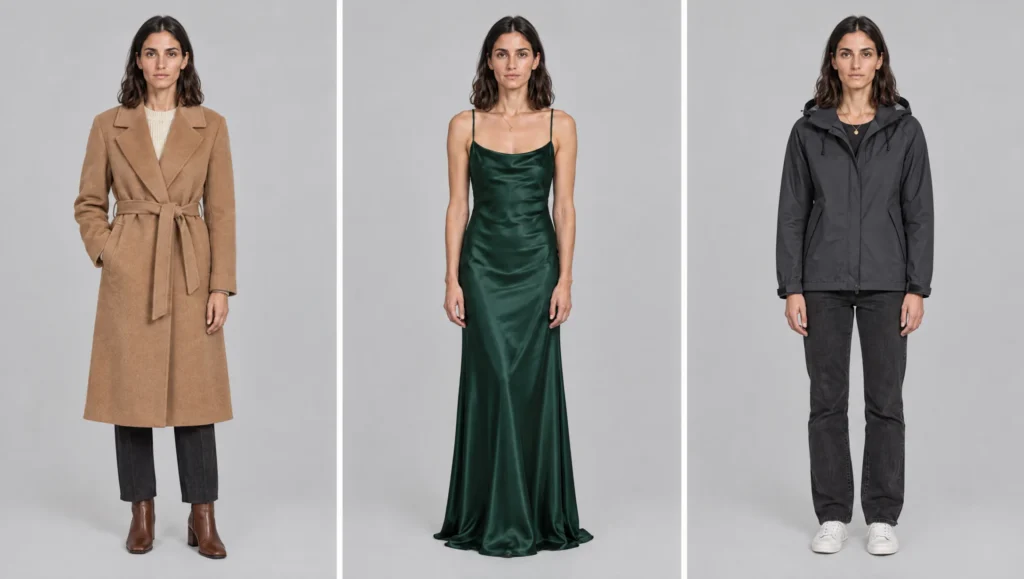
Two guides cover this layer in depth. Keeping an AI character’s wardrobe consistent across scenes builds the first outfit lock and the wardrobe sheet. Changing an AI character’s outfit without losing the character shows how to add a second outfit, handle wet and torn states, and stop the old coat creeping back.
Layer 4: The Scene
With identity and wardrobe locked, a scene prompt only has to describe the scene. The formula is fixed: shot, character, action, wardrobe, location, light, realism, anchor. The Soul ID is selected, the current outfit sheet is attached, and nothing about the face is written beyond the anchor line.
Prompt 4: Scene Formula (Character tab: your Soul ID · image reference: the current outfit sheet)
[SHOT SIZE], [LENS], [CAMERA HEIGHT]. [CHARACTER NAME] [ACTION IN ONE SENTENCE]. Wearing [PASTE THE OUTFIT LOCK]. Location: [LOCATION IN ONE LINE]. Lighting: [LIGHT IN ONE LINE]. Photographic realism. The face, hairline, hair and apparent age match the trained character exactly, at every size and angle. The outfit matches the reference sheet exactly.
Three habits keep the scene layer honest. Change one thing at a time between shots. Carry the strongest approved frame forward as the reference for the next shot in the same scene. And never attach a scene frame that shows a different outfit or a different face. The full formula, with eleven prompts that cover a scene as coverage, is in my guide to writing AI scene prompts with the scene formula.
Layer 5: Continuity
The last layer is the one most people skip, and it is the one that makes a film rather than a collection of good frames. Keep a scene log: scene number, outfit, state, location, light, and the file name of the approved frame. Audit the first frame of every scene against the turnaround and the outfit sheet. When something has drifted, correct the frame rather than rerolling it, so the composition and the moment survive.
Prompt 5: Continuity Audit (attach the turnaround or outfit sheet as image one and the new frame as image two)
Compare image two with image one. First the face: go feature by feature and say "same" or describe the difference in one line. Then the outfit: colour, fabric, fit, closure, footwear, signature details, jewellery. Rate the identity match and the outfit match from 1 to 10. Ignore composition and background unless they have changed an apparent colour.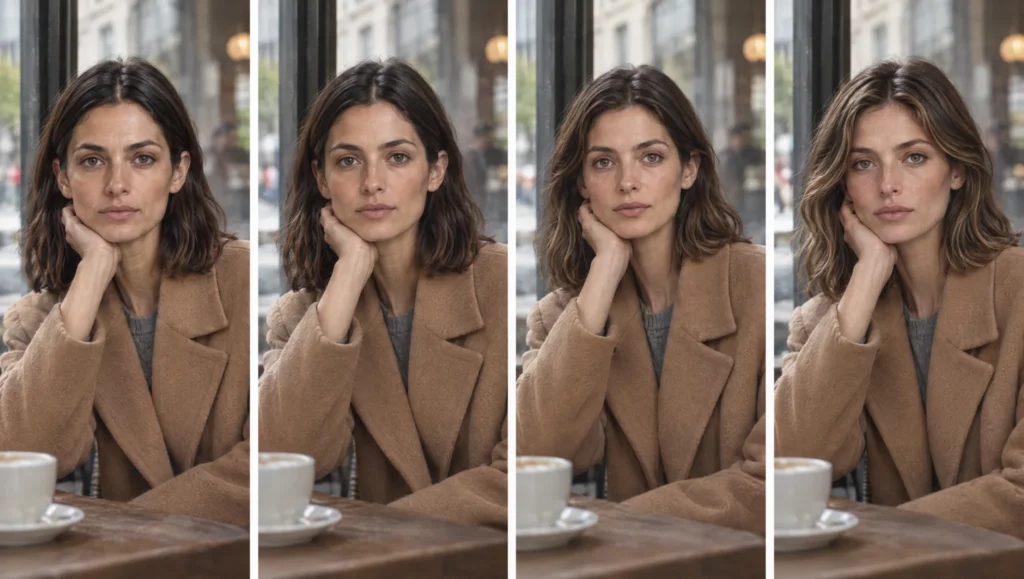
When the face is the thing that has moved, my guide to fixing faces that change between AI shots names the six kinds of drift and gives the correction prompt for each. The whole layer, as a page to keep open while you shoot, is the AI character continuity checklist.
The Character Sheet That Holds It All
Every layer lives in one document: the character sheet. Section 1 is the character’s name, role and one-line essence. Next comes the description from Layer 1. Then the identity: the turnaround, the identity set and the Soul ID name and version. After that, the wardrobe: every outfit lock and the file name of its sheet. Section 5 is the scene log. If it is not on the sheet, it is not locked, and anything that is not locked will drift.
Building the Layers in Order
Here is the whole method as a sequence, for a character who does not exist yet.
- Write the description with Prompt 1 and save it.
- Generate the turnaround with Prompt 2 and approve it as a casting director would.
- Generate the expression, lighting and close-up sheets, crop them, and train the Soul ID.
- Run three stress-test scenes. Fix any gap with another sheet before you build on it.
- Write the first outfit lock with Prompt 3 and generate its reference sheet.
- Generate the first scene with Prompt 4.
- Audit it with Prompt 5 and correct anything that has drifted.
- Log the scene, carry the approved frame forward, and repeat.
Done in this order, a character who began as two sentences becomes someone you could pick out of a crowd. Any scene, any light, the right coat.
Common mistake
Starting at Layer 4. Most people open the generator, write a scene, and try to make the character consistent afterwards by rerolling. The scene layer has nothing to stand on, so every roll is a new person. Build the description, the identity and the first wardrobe lock before you write a single scene. It feels slow for an hour and then it is fast for the rest of the project.
Quick version
Write the character precisely. Generate a turnaround in a grey T-shirt, build an identity set from it and train a Soul ID. Lock each outfit in words and on a sheet. Write scenes with a fixed formula that changes only the scene, never the face. Log every scene, audit every first frame, and correct rather than reroll.
Your move
Open a blank document, call it your character sheet, and run Prompt 1 for the character you most want to film. Do not generate anything until the description could be handed to a stranger.
Get the prompts. The five prompts from this guide, and the full set from each deep guide, are in the free Prompt Library under Character, Wardrobe, Continuity and Correction.
Related articles
- building the AI character your script needs
- how to give each AI character its own voice in ElevenLabs
- how to build an AI character sheet in Higgsfield
- how to keep an AI character’s wardrobe consistent across scenes
- how to change an AI character’s outfit without losing the character
- how to fix faces that change between AI shots
- how to write AI scene prompts with the scene formula
- the AI character continuity checklist
Paid next step: The AI Character Continuity System, the complete method with 72 prompts, the full character sheet template, the correction library and a worked example from description to finished scene log.
Frequently Asked Questions
What makes an AI character consistent?
Showing and telling the model the same thing every time. A fixed description, a trained identity, a locked wardrobe, a fixed scene formula and a continuity routine that catches drift.
Do I need Higgsfield to do this?
No. The layers work with any generator that accepts text and image references. Soul ID makes the identity layer stronger, and the guides use it, but the method does not depend on it.
How long does it take to set up a character?
About an hour for the description, the turnaround, the identity set and the first outfit lock. Training the Soul ID takes a few minutes. After that, every scene is faster than it would have been without the setup.
Which layer matters most?
The description. Every other layer is built from it, and most drift traces back to a word that was vague or a word that changed.





Read the Comments +