PROMPTS AND WORKFLOWS · CHECKLIST
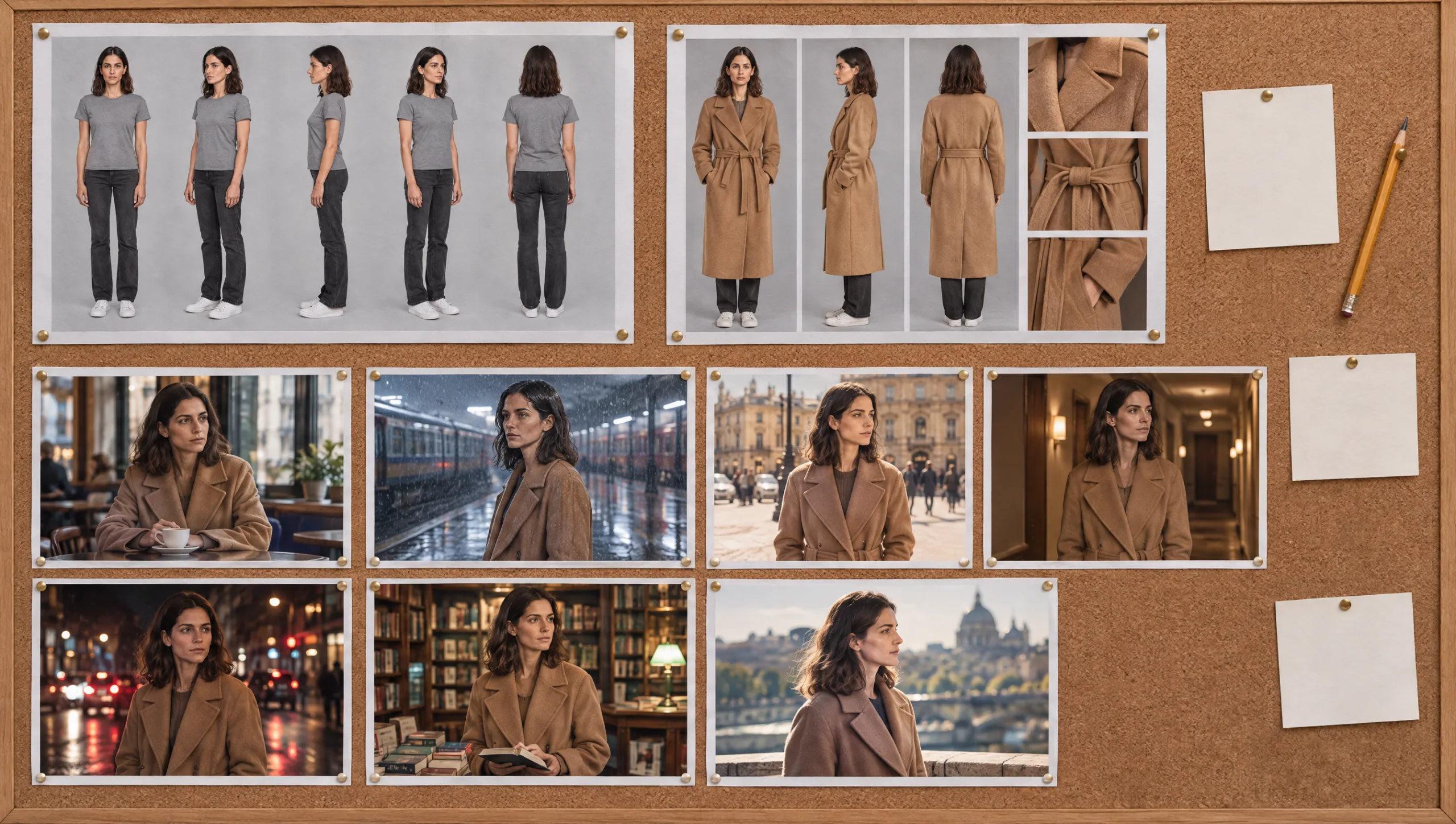
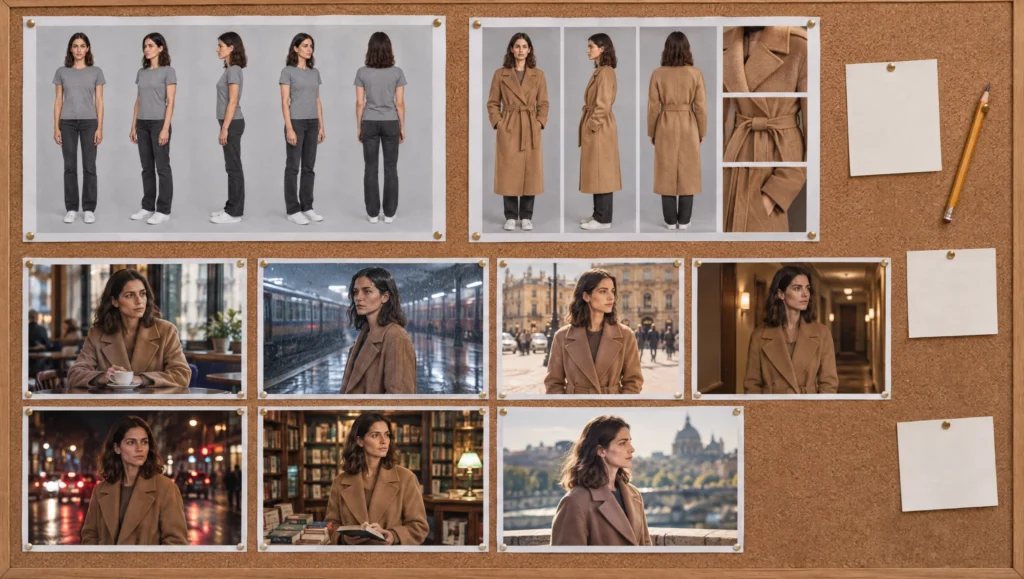
AI character continuity is not one decision. Instead, it is forty small ones, and drift gets in through whichever one you skipped at eleven at night. This page is the checklist I keep open while I shoot. I built it from the method in the five character guides, cut down to the lines you need to tick. They come in the order you need them: first before the project, then before each scene, then before each shot, and finally after. So save it, print it, or paste it into the top of your character sheet. The three prompts at the end run the checks that are hard to do by eye.
At a glance
- Before the project: description, identity, Soul ID, first outfit, wardrobe plan, scene log.
- Before each scene: shared lines written once, references chosen, first frame audited.
- Before each shot: one change, the right references, the anchor line, the state line.
- After each shot: audit, correct rather than reroll, log, carry forward.
- Red flags: the signs that mean stop and fix the identity set before you go on.
You will need: your character sheet, your Soul ID or turnaround, and a model that can compare two images for the audits.
Phase 1: Before the Project
Do these once, because every later check depends on them.
Description. First, write the character as a casting director would, under 120 words, with no clothing, mood or setting. Then save it in the character sheet.
Turnaround. Next, generate one five-view turnaround in a grey T-shirt on a grey background, and approve it as if you were casting. You should recognise this face in a crowd.
Identity set. From the turnaround, generate the expression, four-lights and close-up sheets. Crop them into at least twenty single images, including one full-length frame and nothing from a scene.
Soul ID. Train it on the identity set and name it with a version number. After that, test it in three stress scenes: a wide shot, coloured light, and a profile.
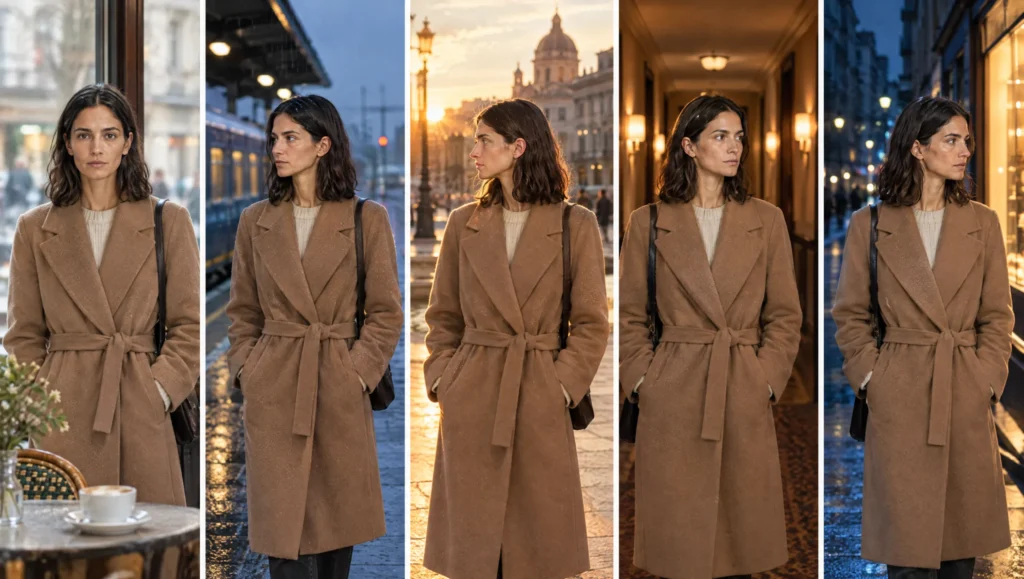
First outfit. Write a wardrobe lock under 80 words with no more than three signature details. Then generate its reference sheet with the Soul ID on the grey background.
Wardrobe plan. Give every scene an outfit name and a state. In other words, no outfit exists without a lock and a sheet.
Scene log. Finally, open a table with a row per scene: scene number, outfit, state, location line, lighting line, approved frame file name. Leave it empty for now, but keep it open.
Phase 2: Before Each Scene
Shared lines. Write the location line and the lighting line once, one line each, with no mood words. Then paste them into every shot of the scene unchanged.
Realism line. Use the same realism line as every other scene in the film.
References chosen. Select the Soul ID and attach the current outfit sheet. Meanwhile, keep any scene frame with a different outfit or a different face well away from the prompt.
First frame audited. Generate the wide shot first and audit it against the turnaround and the outfit sheet with Prompt 1 below. Only then approve it, before you attempt any other shot in the scene.
Phase 3: Before Each Shot
One change. Change only the camera or the action since the last shot. Keep the shared lines, the wardrobe and the realism line identical.
Camera first. Put the shot size, lens and camera height in the first five words of the prompt.
No face description. Write nothing about the face beyond the anchor line, because the Soul ID carries it.
Anchor line present. Add the identity anchor at the end of the prompt, and also add the small-face anchor on any wide shot.
State line, if needed. Write wet, torn, coat off or sleeves rolled as a one-line state after the unchanged lock, rather than as a rewritten lock.
Carry forward. Attach the approved previous shot from the same scene as a second reference, so the shot builds on an approved frame.
Phase 4: After Each Shot
Audit. Compare the new frame with the turnaround and the outfit sheet using Prompt 1, so that you list the differences rather than feel them.
Correct, do not reroll. If the face or the outfit has drifted and the identity still scores 6 or more, correct the frame with the audit lines. Two corrections is the limit, however.
Log it. Put the approved frame’s file name into the scene log row, along with the state and any correction note.
Name it. Name files by scene, shot and take, so you can find the approved take in a month.
Red Flags: Stop and Fix the Identity Set
Some failures mean the problem is upstream, and no amount of correcting will hold. Therefore, stop the shoot and fix the set when any of these happen.
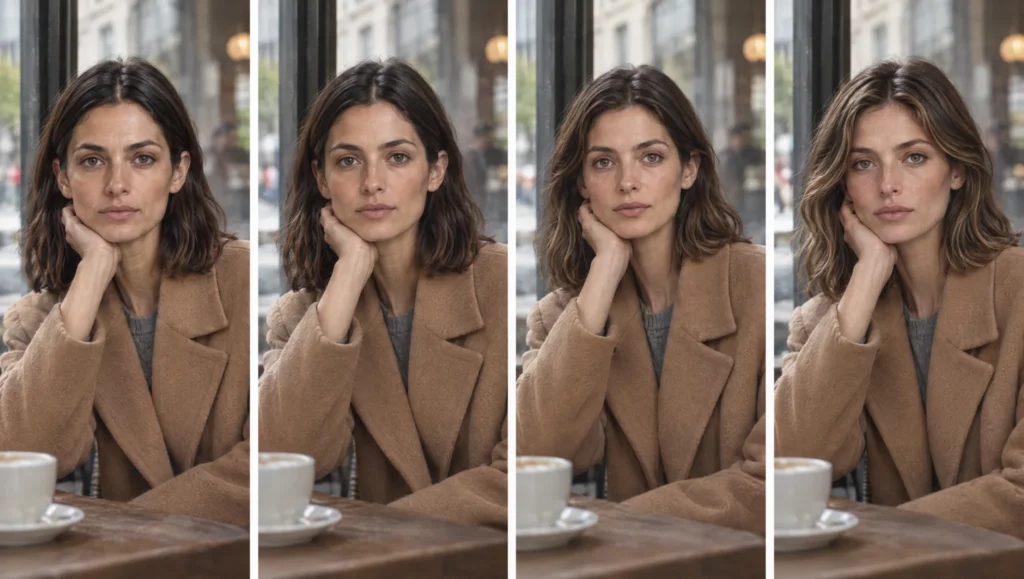
For example, the same drift type appears in three frames in a row. Every profile or high-angle shot falls apart. Under one lighting condition the face changes colour or shape every time. An old outfit creeps back more than once after a change. Or the audit scores under 5 on a frame you generated straight from the turnaround with nothing else attached.
The fix for each is in my guide to fixing faces that change between AI shots. In short, generate the gap sheet, crop it, retrain the Soul ID with a new version number, and then go back to Phase 2.
The Three Prompts
Prompt 1: Continuity Audit (attach the turnaround or outfit sheet as image one and the new frame as image two)
Compare image two with image one. First the face: go feature by feature and say "same" or describe the difference in one line. Then the outfit: colour, fabric, fit, closure, footwear, signature details, jewellery. Rate the identity match and the outfit match from 1 to 10. Ignore composition and background unless they have changed an apparent colour.Prompt 2: Pre-Shoot Check (run in Claude or ChatGPT, paste your scene prompt)
Check this AI scene prompt against the continuity rules and list every failure in one line each: 1. Shot size, lens and camera height are in the first five words. 2. The face is not described beyond one anchor line. 3. The wardrobe lock is present and unchanged from the lock I give you. 4. Location and lighting are one line each with no mood words. 5. A state, if any, is one line after the lock. 6. The realism line matches the one I give you. Then return the corrected prompt.

Scene prompt: [PASTE]
Wardrobe lock: [PASTE]
Realism line: [PASTE]
Prompt 3: Scene Log Entry (run in Claude or ChatGPT)
Write a scene log row from this information, as a single line with fields separated by " | ": scene number, outfit name, state, location line, lighting line, approved frame file name, correction note (or "none"). Keep the location and lighting lines exactly as given.

Scene: [NUMBER] · Outfit: [NAME] · State: [STATE] · Location: [LINE] · Lighting: [LINE] · Approved file: [NAME] · Correction: [NOTE OR NONE]
Common mistake
Checking at the end instead of at each shot. The audit feels like a thing to do once the scene is finished. By then, however, you have built eight shots on a first frame that had already drifted, and every one of them carries it. So audit the first frame of every scene before you build on it. One check early replaces eight corrections later.
Quick version
First, once per project: description, turnaround, identity set, Soul ID, first outfit lock and sheet, wardrobe plan, scene log. Then, for each scene: shared lines once, references chosen, first frame audited. Next, for each shot: one change, camera first, no face description, anchor line, state line if needed, carry forward. Finally, after each shot: audit, correct, log, name. And stop to retrain whenever the same drift repeats.
Your move
Open your current project and run Phase 1 against it now. Anything unticked is where the next drift will come from, so fix that before you generate another frame.
Get the prompts. The three prompts from this checklist are in the free Prompt Library under Continuity, with the correction and audit sets alongside them.
Related articles
- how to build a prompt library for your AI film projects
- how to create a consistent AI character from scratch
- how to fix faces that change between AI shots
- how to write AI scene prompts with the scene formula
- how to change an AI character’s outfit without losing the character
Paid next step: The AI Character Continuity System, where this checklist is the first page of a complete method: the full character sheet template, the scene log, 72 prompts, the correction library and a worked example.
Frequently Asked Questions
How often should I audit a frame?
Always audit the first frame of every scene, and also every frame where something other than the camera changed. Within a scene built on an approved first frame, however, a quick look is usually enough.
Can I use this checklist without Higgsfield?
Yes. Simply replace the Soul ID lines with an attached turnaround and identity sheets. Every other check then works for any generator that accepts image references.
What goes in the scene log?
Scene number, outfit, state, the location line, the lighting line, the file name of the approved frame, and any correction note. In short, if it is not in the log, it was not locked.
What is the one check that matters most?
References. Almost every drift traces back to a scene frame with a different face or outfit used as a reference. So check what you have attached before you press generate.



Read the Comments +